The system & capabilities
TacOps brings together what an operational organization does day to day - from the picture on the map to the report afterwards.
The situational picture
What is happening in the field, on one screen, for everyone who needs to see it.
Shared situational picture
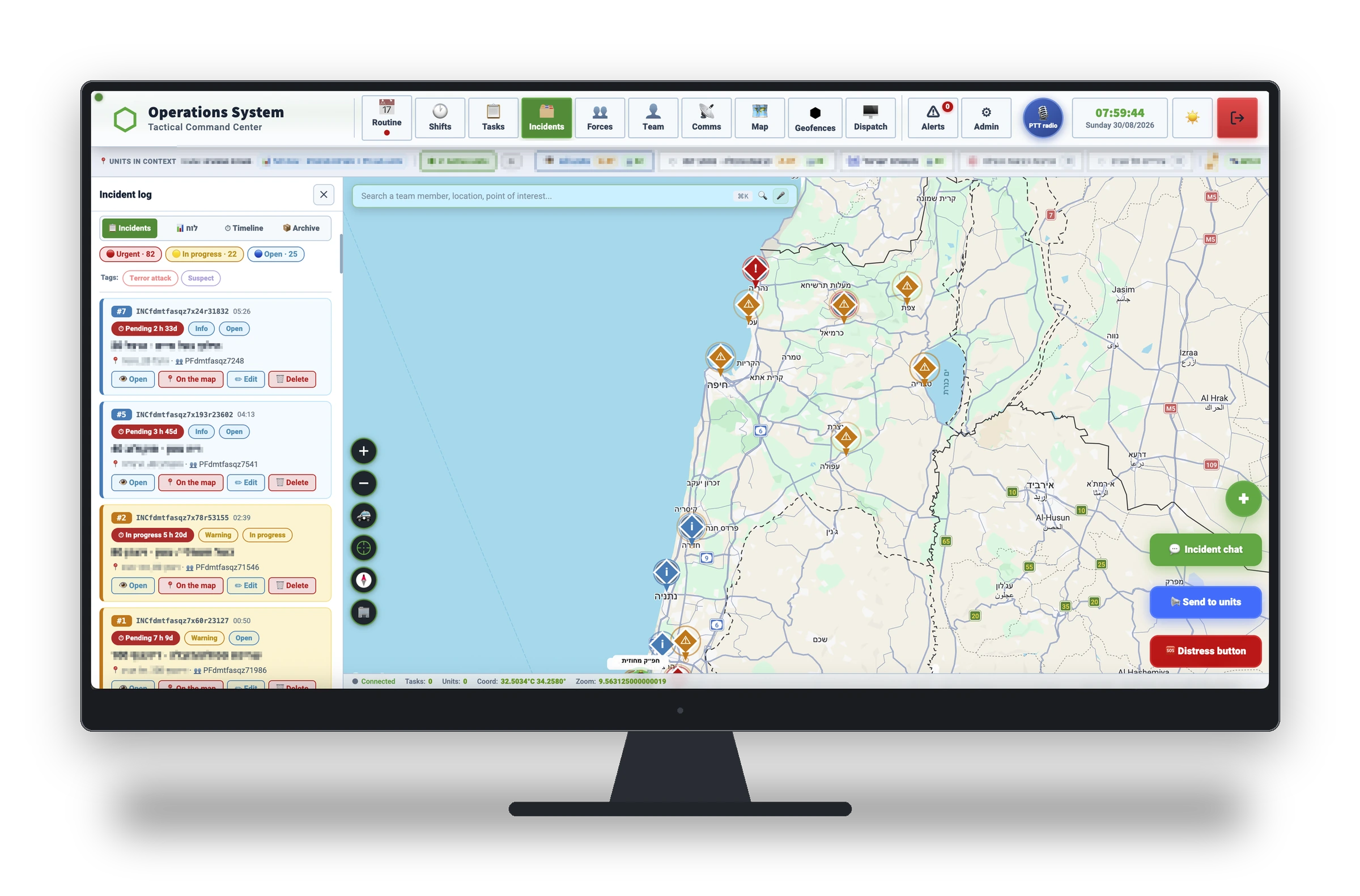
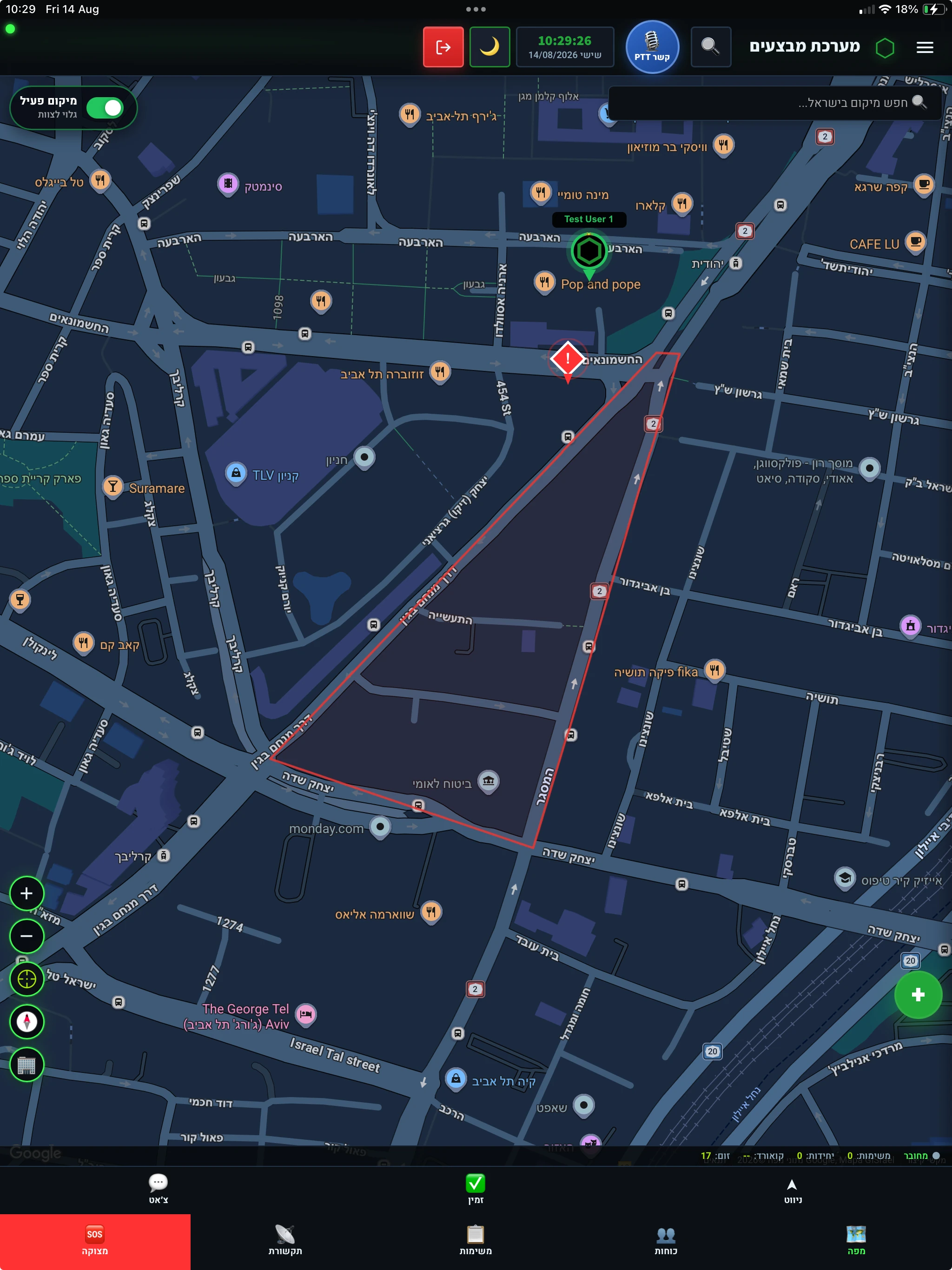
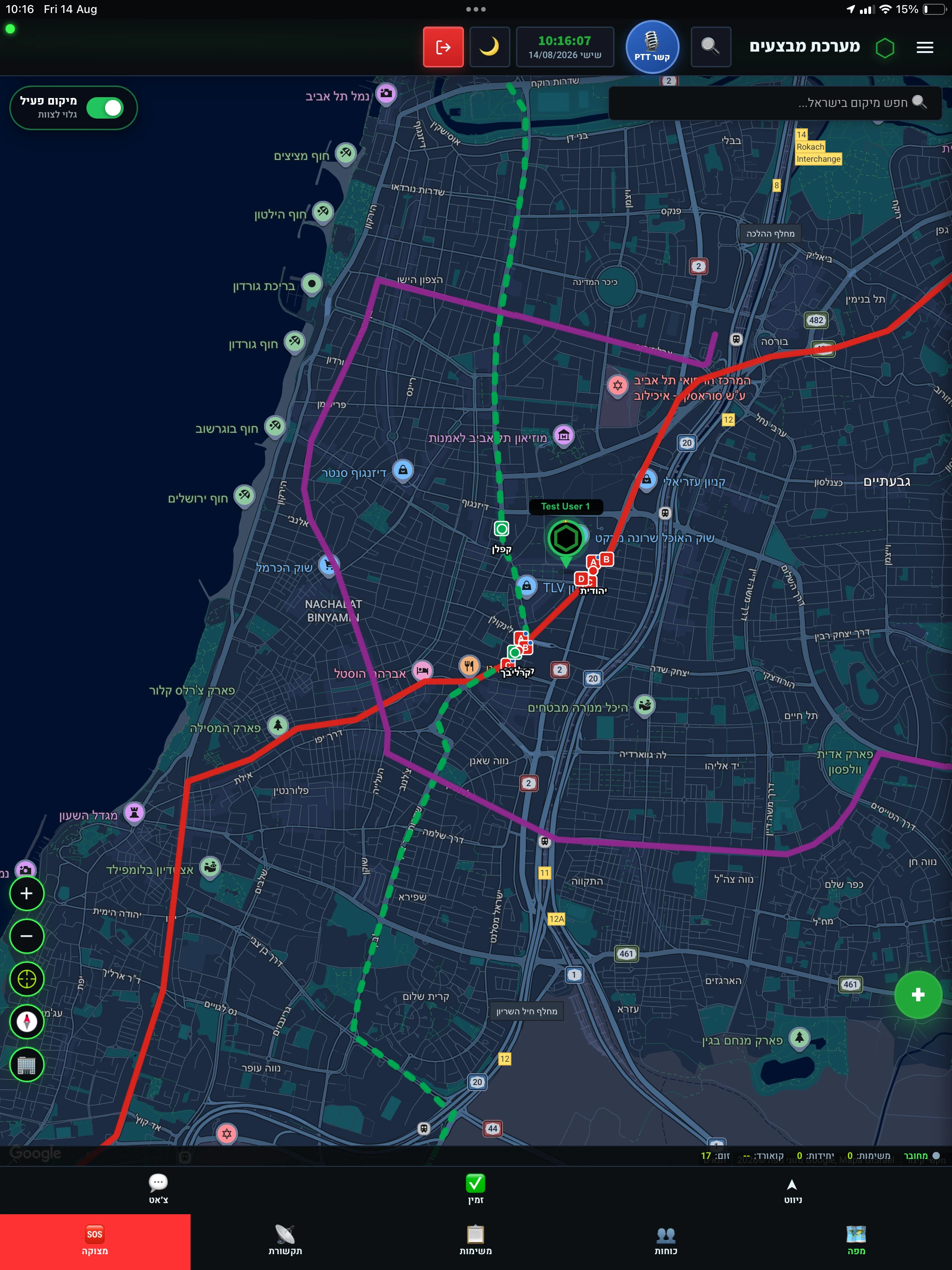
A live operational map - real-time force locations, terrain layers, sector boundaries and scene markers. Everyone sees the same picture.
Map layers & tools
Operational information layers over the map - sectors of responsibility, infrastructure and points of interest by field of activity - with search and marking tools and full control over what is shown.
Geofences
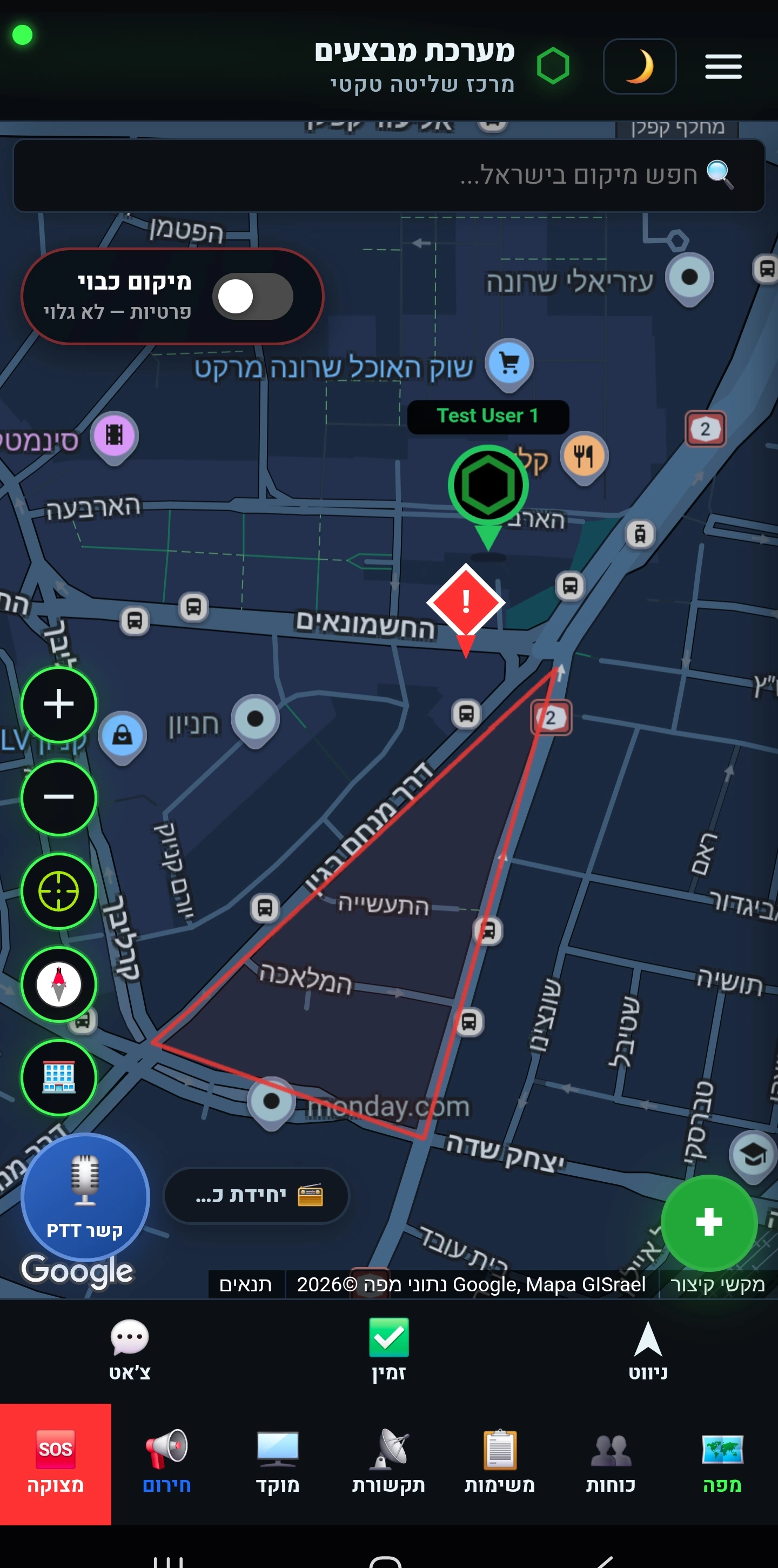
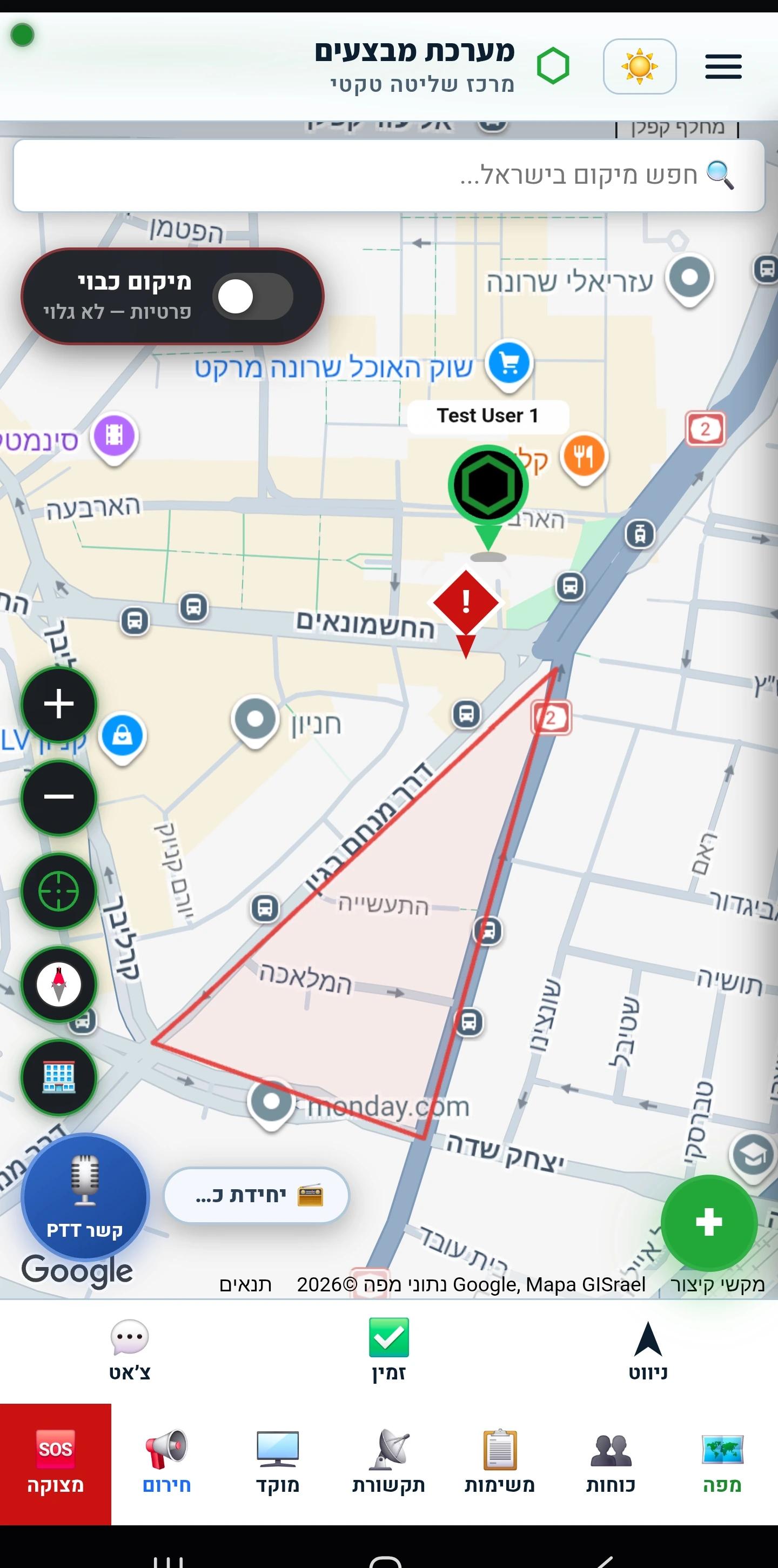
Mark an area on the map - and the system alerts on entry, exit or dwell. Choose who receives the alert, set active hours, and even open an incident automatically on entry. Only crossing and dwell events are recorded - not movement tracks.
Floor view
In a multi-storey incident the commander sees which floor each team member is on - an estimate from the device's sensors, with manual calibration and a clear distinction between estimated and calibrated.
Incidents & dispatch
From the call to the report - who goes out, what happens at the scene, and what stays on record.
Incident management
Open an incident and dispatch forces with response and arrival tracking - including multi-scene events that span districts and units, with every force on one picture. All of it recorded for the report.
Your own incident types and templates
The list of incident types belongs to the organization: define the types that match how you work, and give each one a dispatch template carrying the forces and details that repeat every time. Each field of activity starts from its own defaults - and you adapt from there.
Distress button
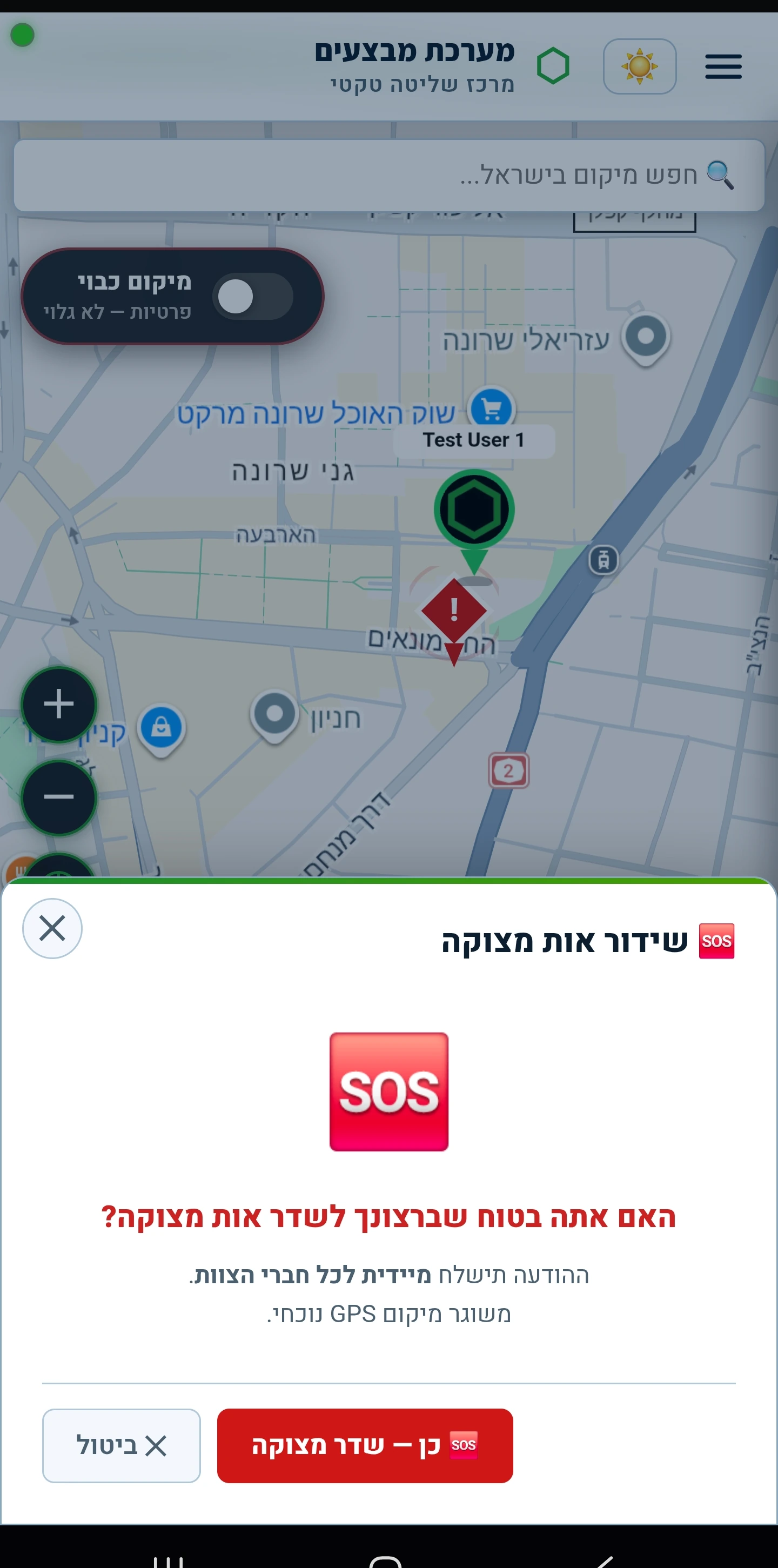
One press sends a distress signal with the location to everyone on shift, and sounds an alert even when the phone is on silent. It stays live until it is canceled, and cancelling clears the alert for everyone.
Mass-casualty triage
Rapid casualty registration at the scene and urgency-based classification, with a live count per category - the casualty picture is ordered from the first minutes, and shared with every authorized role.
Forces hub
Assemble a mission crew in a few taps and see its live status on the map. A message goes out to the whole crew at once, and a consolidated roll call shows in real time who has answered and who has not.
Navigate to the scene
Operational navigation from inside the system - straight to an incident or a task, with no copying addresses into another app. Works without a network too.
Live video from the scene and the air
Stream live from an incident scene straight to the command station - so the commander sees what the force on the ground sees. Fleet drones stream to the same place.
People & readiness
Who is available, who is qualified, and whose certification is about to lapse - without a spreadsheet.
Personnel & readiness
A qualification file per team member, how recently they trained, availability, and a weighted readiness score at person, team and organization level.
Shifts & rostering
Build shifts, assign roles, track staffing and self-join - with live coverage visibility. Every team member sees the shifts and tasks they are assigned to on their phone.
Training, instruction & ranges
Plan ranges and courses, record attendance, track qualification validity and expiry alerts - a full training history per team member.
Shabbat and holidays
A team member marks Shabbat and holiday observance in their profile and the team can see it - routine alerts respect the rest period and rostering takes it into account. Anyone carrying a kosher phone is flagged, and the system supports delivering an incident to them as a voice call with key-press acknowledgement. Enabled at the organization's request.
Comms, resilience & security
The system has to work precisely when conditions are bad.
Operational comms
PTT radio, team and incident channels, read receipts, and emergency alerts that cut through silent mode.
Announcements & surveys
A message from command reaches everyone it concerns, and you can see who has read it. When you need an answer rather than an update, send a survey with set options - each person answers from their phone and can change that answer, and the results are counted in real time.
Field resilience
Background operation, recovery from disconnects, and navigation that works without a network.
GPS interference alerts
The system detects suspicious location readings - implausible jumps and interference signatures - holds them before they mislead the map, and raises an alert. The last trusted position is kept until a clean signal returns.
Privacy & security
Two-factor authentication, full tenant isolation, role-based permissions, and a personal privacy switch the user controls.
Operations dashboard
A concentrated picture of the organization - readiness, incidents, staffing and coverage - on a board adapted to the field of activity and built for a large screen or a video wall at the command post.
Analytics & reporting
Activity metrics, response times, readiness and coverage, and an incident heatmap showing where they concentrate - with periodic report export.
Equipment, weapons & fleet
Every item knows who holds it and when it is next due for inspection.
Equipment & weapons store
Manage equipment and weapon inventory, assign to a team member, track periodic-inspection expiry and role-based required kits.
Signed equipment issue
Handing over equipment or a weapon is signed on the screen: the team member signs for what they received and the issuer signs for what they handed over. The record is kept with its date and can be produced as a printable form - so it is always clear what is held by whom, and when it was issued.
Optics & accessories
Register sights, optics and accessories, assign them to a weapon and a team member, and track condition and serviceability.
Organizational fleet
Register vehicles, assign them to teams, and get service, insurance and inspection reminders - with details auto-filled from the plate number.
From the field and from the command desk
Captures from the system itself. The data shown is demo data only.
One engine, four profiles
The same system and the same data - what changes is what it emphasises. An organization picks a profile, and the screens, terminology and map layers adapt to that kind of work.
Fire & rescue
A water-sources layer on the map, structured scene management, a hazardous-materials plume and an SCBA air bank tracking breathing crews. For an aviation emergency, choose the airfield and the aircraft classification and the system assembles and dispatches the force package that field's plan calls for - stations, engines and ambulances. Plus a coverage picture that crosses fire risk with availability and staffing - the gap is visible before it is needed.
Municipal security & patrol
Patrol sectors, geofences with crossing alerts, multi-scene incident management, and a vehicle fleet with service and insurance reminders.
Emergency medical services
On-call responders, ambulances and MICUs in one picture: nearest-responder dispatch, live availability, medical tags by urgency, and crew-staffing checks for intensive-care units.
Policing & first responders
Fast dispatch with response and arrival tracking, weapon and equipment assignment per team member, ranges and qualification validity, and PTT radio between forces in the field.